- Authors

- Name
- 오늘의 바이브
No More Copy-Paste
The biggest pain of prompt-based tools was copy-paste. ChatGPT gives you code, you copy it, paste it into a file, run it, get an error, copy the error, go back. With multiple files, this becomes hell.
Editor-based tools solved this at the root. AI left the chat window and moved into the code editor. It can see all your project files and edit them directly. No copy-paste needed.
Here is an analogy. Prompt-based is "getting instructions over the phone and assembling it yourself." Editor-based is "someone sitting next to you, building it together."
Three Things AI Does
Editor-based AI operates in three modes.
1. Autocomplete -- Just Press Tab
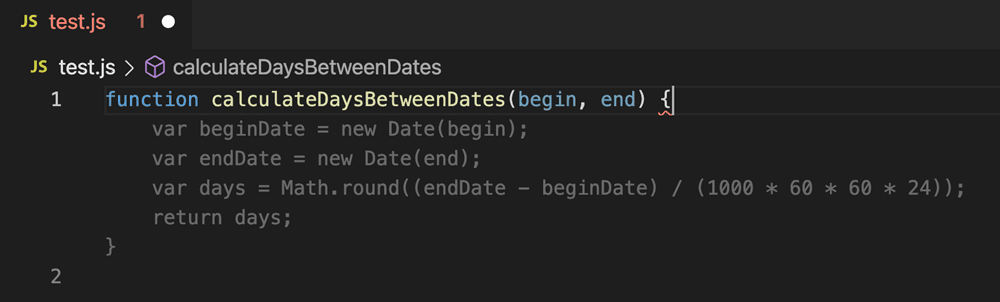
While you type, AI suggests the next line in gray. Like it? Press Tab. Don't like it? Ignore it and keep typing.
It works like smartphone autocomplete. Type "hel" and it suggests "lo." Type function calculate and it suggests the rest of the code.
2. Chat -- Tell It What to Do
There is a chat panel next to the editor. Type "add error handling to this function" and AI edits the code. Similar to prompt-based, but with one crucial difference: AI can see your entire project. It knows what files exist, what libraries you use, what coding style you follow.
3. Agent -- Hand Over the Whole Thing
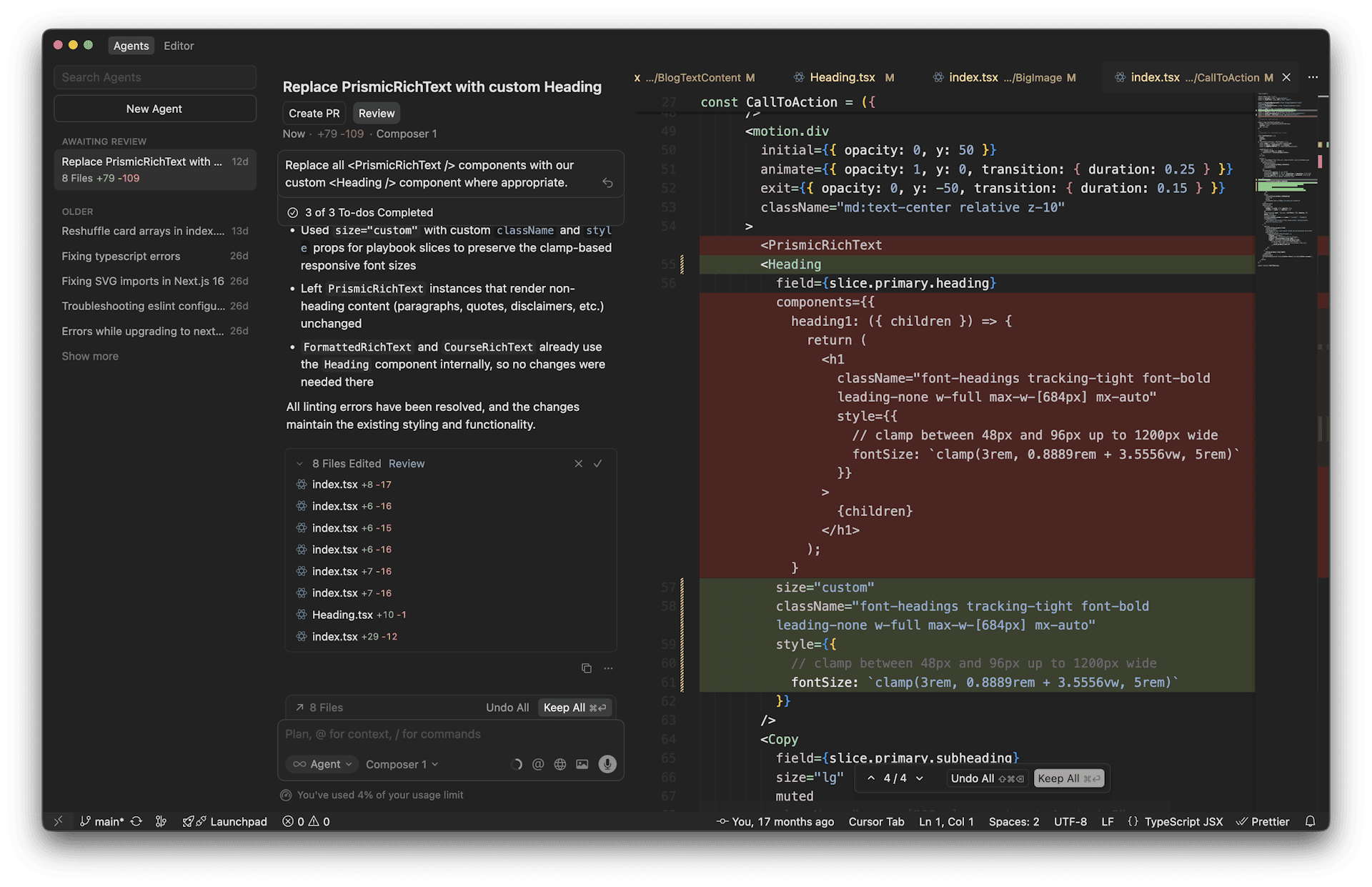
This is the most powerful mode. Say "add dark mode to this project" and AI plans the approach, finds the relevant files, and edits multiple files at once. You just review and approve.
Cursor 2.0 significantly upgraded this agent mode. File creation, deletion, terminal commands -- AI does it all directly.
The Big Three
Cursor -- Leading the Agent Coding Wave
Cursor hit $500M in annual revenue in just two years. It is the most popular vibe coding tool. Even NVIDIA CEO Jensen Huang said this:
"My favorite enterprise AI service is Cursor. 100% of our engineers are using AI coders, and productivity has gone up remarkably."
Built on VS Code, so if you already use VS Code, you can switch seamlessly. Its agent mode is the strongest. It can handle large-scale tasks like "migrate this entire project to TypeScript."
Free plan: 50 premium requests per month. Paid: $20/month.
Here is Lee Robinson from Cursor demonstrating how it actually works.
GitHub Copilot -- The Most Widely Used AI Coding Tool
20 million users -- the largest user base. Built by GitHub, so VS Code integration is seamless.
Autocomplete was its main strength, but it recently added agent mode and is catching up to Cursor. Its edge: $10/month, the cheapest among editor-based tools.
Windsurf -- The Value Pick
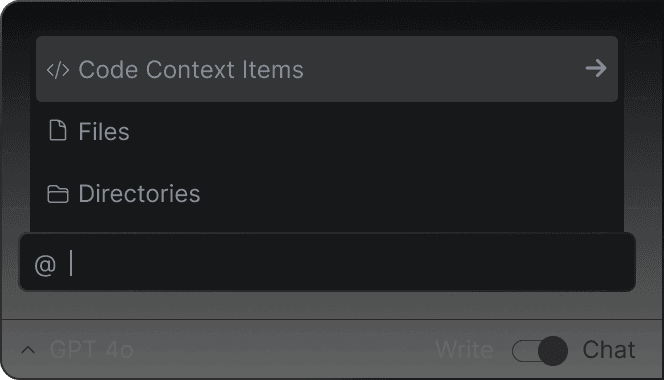
Windsurf (formerly Codeium) runs on an agent called Cascade. At $15/month, it is cheaper than Cursor while offering agent capabilities. It stands out for maintaining conversation context well.
| Tool | Free | Paid | Strength | Weakness |
|---|---|---|---|---|
| Cursor | 50 requests/month | $20/mo | Best agent mode, large ecosystem | Limited free tier |
| Copilot | 2,000 completions/month | $10/mo | Cheapest, most users | Weaker agent mode |
| Windsurf | 25 credits/month | $15/mo | Good value, context retention | Smaller ecosystem |
How Is This Different from Prompt-Based?
| Prompt-Based | Editor-Based | |
|---|---|---|
| Does AI know your project? | No | Sees everything |
| File editing | Manual copy-paste | AI edits directly |
| Multi-file edits | Not possible | Possible |
| Runtime environment | Set up yourself | Built into the editor |
| Entry barrier | Low | Medium (editor install needed) |
The core difference is context. Prompt-based AI does not know your project. You have to explain everything every time. Editor-based AI lives inside your project. It knows the file structure, code style, and libraries you use. That is why it produces more accurate code.
Where It Breaks Down -- The Limits
Editor-based is not a silver bullet.
1. You need to install an editor Cursor or VS Code -- you need to install software. Unlike web builders, a browser alone will not cut it. The install process is easy, but it is one extra step.
2. You need basic editor skills File explorer, terminal, tab switching -- you need to know the basics. First-timers might feel lost with all the buttons. But the basics take 30 minutes to learn.
3. AI can touch files it should not In agent mode, AI edits multiple files at once. Sometimes it changes files that should not be touched. Always review the changes. Cursor highlights what was modified, but skip the review and you will have problems.
4. Zero coding knowledge is tough Unlike web builders, editor-based tools always show code. AI writes it for you, but you need at least a rough sense of what the code does to verify results. This is better suited for "beginners interested in coding" than complete non-developers.
5. Subscription costs add up Free plans run out fast. Cursor's 50 free requests last a day or two. Serious usage means $10-20/month.
| What You Can Do | What Is Hard |
|---|---|
| Manage entire projects | Total beginners jumping in |
| Edit multiple files at once | AI editing the wrong files |
| Refactoring, debugging | Learning basic editor usage |
| Production-level development | Getting by on free plans |
Who Should Use This
Editor-based tools are best for "people who have started coding, or are about to."
- You are tired of copy-pasting from prompt-based tools
- You want AI help while learning to code
- You are already a developer and want higher productivity
- You want to build production-level projects
If you have zero interest in coding and just want results, web builders are the way. If you want to hand everything to AI without even opening an editor, check out the next article on terminal-based tools.
Next Up: Terminal-Based
Editor-based feels like AI "sitting next to you, helping out." Terminal-based goes one step further. You hand the entire project to AI. File creation, code, build, test, deploy -- AI does it alone. You give the order and wait.
Sources: